
The Spoofing IP Reports feature allows you to identify and export a list of IP addresses that have been flagged as potential spoofing sources for your domain. This report is a powerful tool for monitoring unauthorized use of your domain and taking action to protect your email reputation.
How It Works
Potential spoofing IP addresses are identified through the following process:
- DMARC Aggregate Report Analysis — The system continuously processes incoming DMARC aggregate reports received for your domain. These reports are submitted by receiving mail servers and contain data about emails claiming to originate from your domain.
- IP Reputation Check — Each IP address found in the aggregate reports is evaluated against reputation databases to assess whether it is a known malicious or suspicious sender.
- Platform-Level Analysis — Additional platform-level signals and behavioral patterns are analyzed to further categorize each IP address.
- Categorization — Based on the above analysis, IP addresses are classified as potential spoofing sources if they exhibit suspicious or unauthorized sending behavior.
Using the Spoofing IP Reports Page
Filters
| Filter | Description |
|---|---|
| Domain | Select the domain you want to investigate from the dropdown list. |
| Date Range | Choose a custom date range to scope the report. Only data within the selected period will be included. |
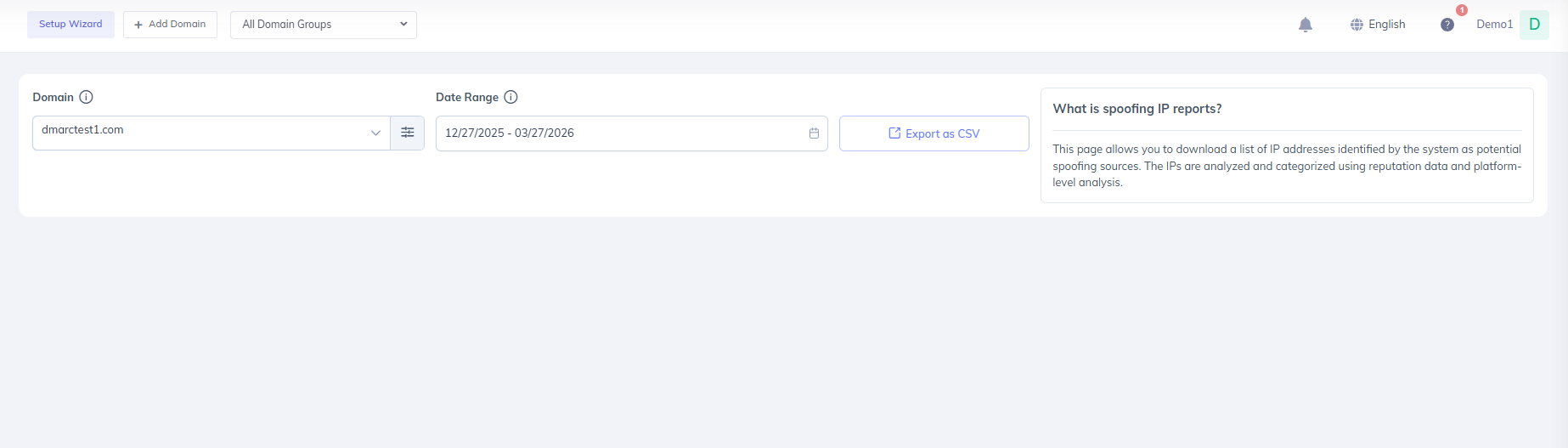
Exporting the Report
Once you have configured your filters:
- Select the desired Domain from the Domain dropdown.
- Set the Date Range for the period you want to analyze.
- Click Export as CSV to download the report.
The exported CSV file will contain the list of IP addresses identified as potential spoofing sources within the selected domain and date range.