
The SPF Analytics tab provides visibility into how your SPF record is being used across authorized sending sources. By monitoring SPF activity, organizations can identify active senders, detect unused mechanisms, and optimize SPF configurations for improved security and deliverability.
Without clear visibility into SPF usage, outdated vendors, inactive sending sources, and misconfigured mechanisms can remain authorized, increasing SPF complexity and making troubleshooting more difficult.
Analytics Page Overview
Navigate to Reporting > SPF Analytics to access the full analytics page. The page includes:
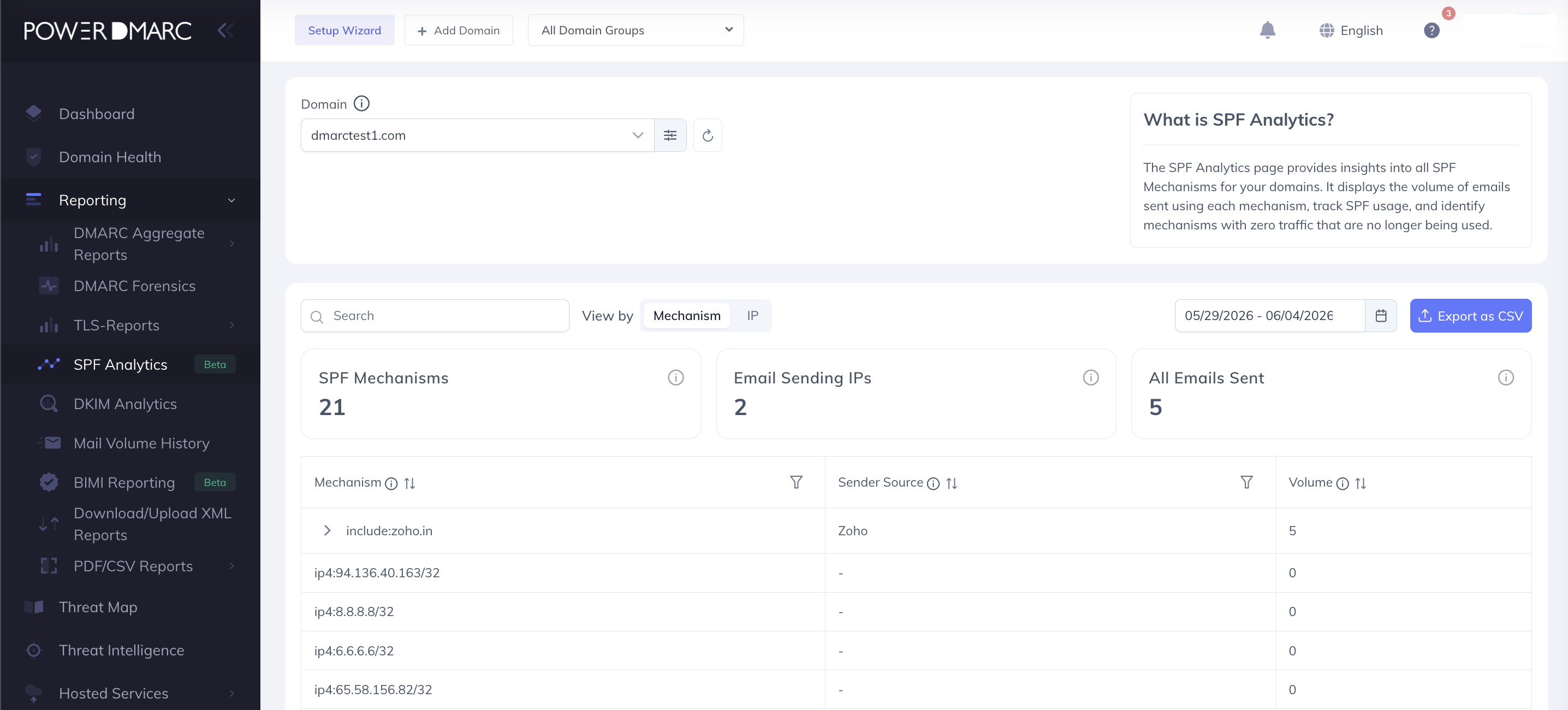
The page provides:
Per-mechanism and per-sending-source visibility into SPF activity.
Email volume metrics for SPF mechanisms and authorized sending IPs.
SPF compliance insights, including pass rates by mechanism.
Mechanism type breakdowns, including ip4, ip6, A, MX, include, and other supported SPF mechanisms.
Quick Stats summary cards displaying overall PowerSPF usage and compliance metrics.
Domain and date-range filtering with presets such as Today, Yesterday, Last 7 Days, Last 30 Days, This Month, Last Month, Last 3 Months, and Custom Range.
Mechanism View vs. IP View
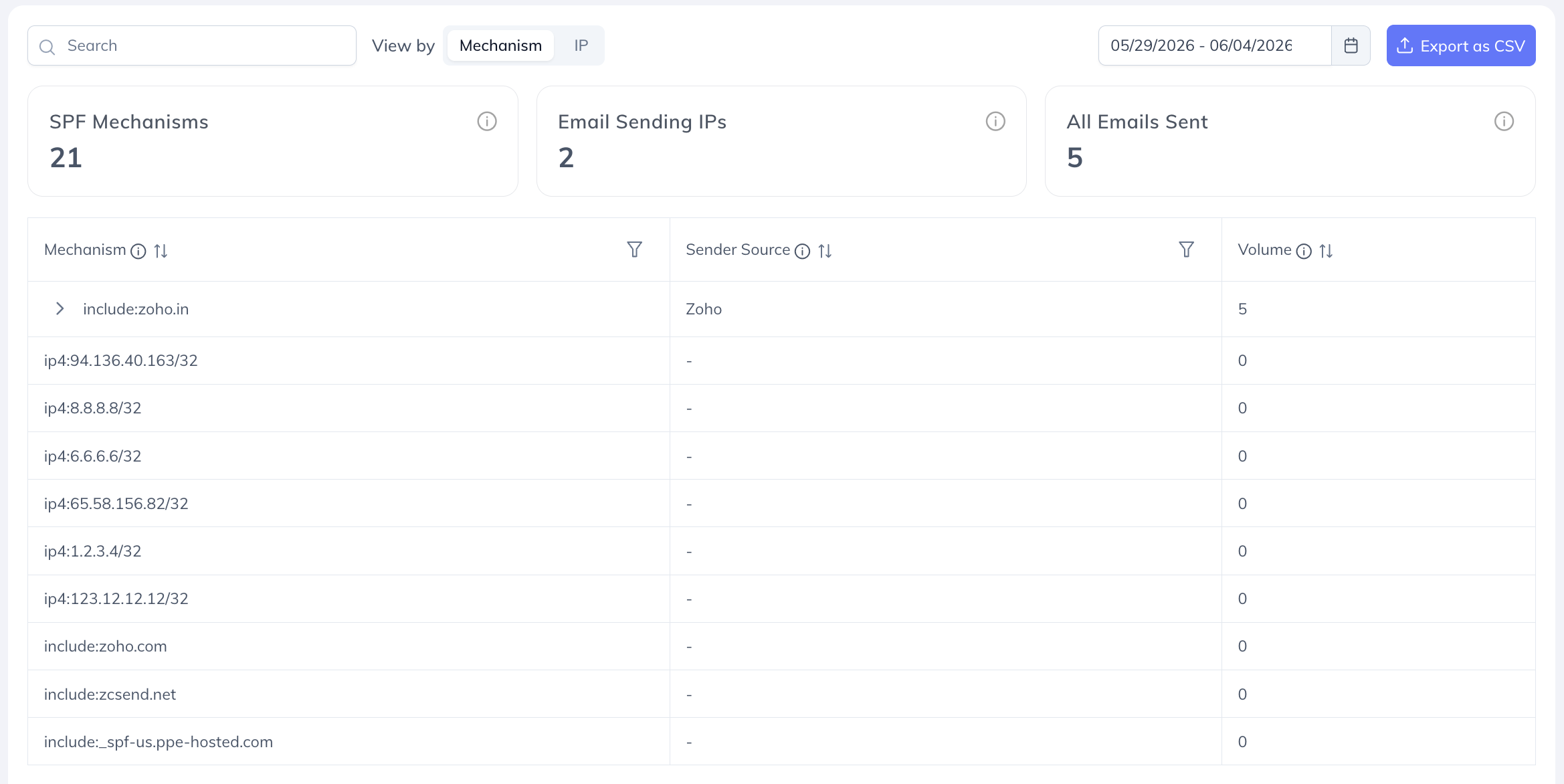
Mechanism View groups email activity by SPF mechanism (such as include, ip4, and ip6), providing a high-level view of which authorized services are sending on behalf of your domain and the volume associated with each source.
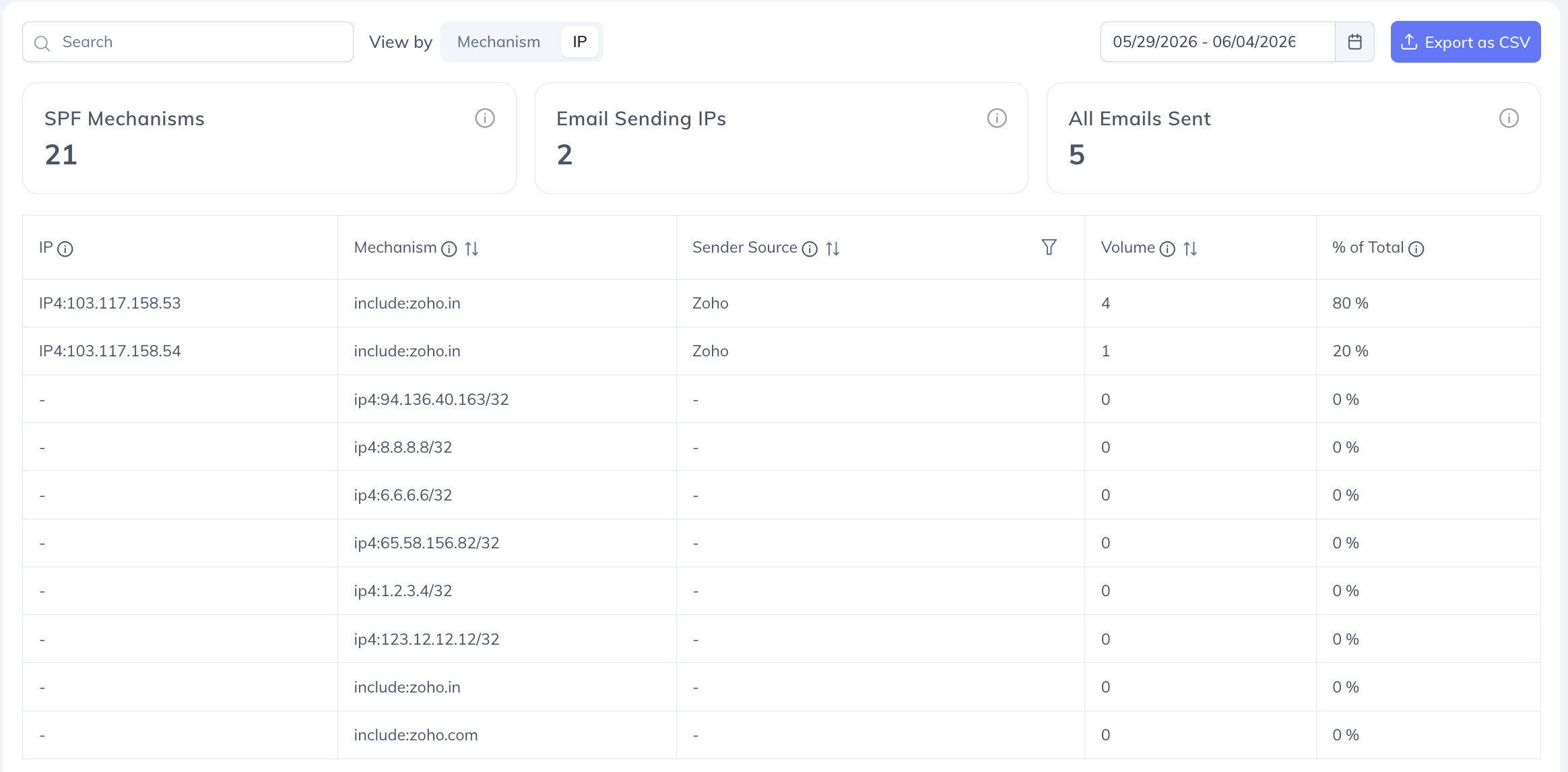
IP View provides a detailed breakdown of individual sending IP addresses, including those originating from SPF ranges or include statements, making it easier to identify exact sending sources and analyze email traffic.
Key Benefits
Monitor email volume by authorized source, mechanism, or IP address.
Identify unused third-party senders, IPs, or SPF mechanisms.
Simplify SPF records by removing inactive sources.
Improve security and deliverability by maintaining an optimized SPF configuration.
Track SPF compliance and authentication performance.
Export filtered analytics data as a CSV file for reporting and further analysis.
Important Notes
The PowerSPF Analytics page is available to users with access to PowerSPF.
Users without access will see the standard premium feature discovery page.
PowerSPF users have full access to all analytics and reporting capabilities.
For further assistance, visit support.powerdmarc.com or contact your PowerDMARC account manager.